
Losing our writing is one of the
worst things that can happen to a writer.
But we’re OK, because we’ve backed up.
Or are we? How long ago did we
back up? On what did we back up? How many times? In what format? The risks to writing files are loss, damage, corruption and obsolescence.
worst things that can happen to a writer.
But we’re OK, because we’ve backed up.
Or are we? How long ago did we
back up? On what did we back up? How many times? In what format? The risks to writing files are loss, damage, corruption and obsolescence.
Most writers store their writing in
the most vulnerable place of all – in Documents
on their laptop. If our computers were
to stop working, become damaged or even lost, we would lose everything. If our one and only copy of a particular file
became corrupted, that would be it. An
able technician might be able to access the volume,
and, in an emergency it’s always worth a try, but don’t depend upon it.
the most vulnerable place of all – in Documents
on their laptop. If our computers were
to stop working, become damaged or even lost, we would lose everything. If our one and only copy of a particular file
became corrupted, that would be it. An
able technician might be able to access the volume,
and, in an emergency it’s always worth a try, but don’t depend upon it.
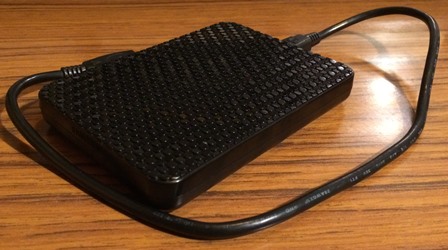
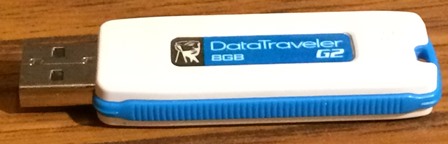 So, we copy our files on to another
device, an external (portable) hard drive or a memory stick. Hard drives use magnetic technology, which is particularly suitable for updating files – adding to them and
editing them – and also, if necessary, for hosting new files. However, external
hard discs are fragile things, easily damaged by heat and water and by being
dropped. On the other hand, memory
sticks, which, like mobile phones and flash technology, can When I accidentally washed my husband’s trousers
in the washing machine, with his phone in the pocket, I dried it out in the
airing cupboard, and it worked for another three years. However, every time we update a file on a memory
stick, a new version of that file is created, even though we can’t see it in the file menu, so memory sticks fill
up quickly. Also, being so small, they get
lost. The solution? Make three copies of everything: one on the computer; one on an external hard
drive; one on a memory stick.
withstand both water and heat.
tablets, deploy

In addition, use cloud computing,
such as Dropbox, Google Drive or OneDrive. Instructions on downloading, and using, these –
free – applications are available through Google. One copy of each file is stored on the
internet (‘in the cloud’) and another on the hard drive of our laptop (and any
other computer on which we’ve downloaded the cloud application), so files as
readily available as in Documents. This is the safest solution. We may mislay our Dropbox password, but we can
get back in through the Forget Password
link. We cannot break the internet.
such as Dropbox, Google Drive or OneDrive. Instructions on downloading, and using, these –
free – applications are available through Google. One copy of each file is stored on the
internet (‘in the cloud’) and another on the hard drive of our laptop (and any
other computer on which we’ve downloaded the cloud application), so files as
readily available as in Documents. This is the safest solution. We may mislay our Dropbox password, but we can
get back in through the Forget Password
link. We cannot break the internet.
What about obsolescence? What about all
those stories lost forever on floppy discs.
It is possible to source an external floppy drive and copy files on to a
more up-to-date device, but we must keep up with technology. How long will external hard drives, memory
sticks and usb ports be supported? They
won’t last forever. Think also about
formats. If our writing is saved in
Word, we’re probably safe, because Microsoft has built Word to be backwards
compatible, but, if we’ve used another word processing application, we should re-save
in Word (.docx) – now. Everything in
computing changes – fast.
those stories lost forever on floppy discs.
It is possible to source an external floppy drive and copy files on to a
more up-to-date device, but we must keep up with technology. How long will external hard drives, memory
sticks and usb ports be supported? They
won’t last forever. Think also about
formats. If our writing is saved in
Word, we’re probably safe, because Microsoft has built Word to be backwards
compatible, but, if we’ve used another word processing application, we should re-save
in Word (.docx) – now. Everything in
computing changes – fast.
Originally written by Rosemary Johnson

